

How do I make an external connection with my MySQL database?
You can make an external connection with your MySQL database with, for instance, ODBC or external database tools. In this manual, we assume that you're already logged in to DirectAdmin. You must take the following steps:
Step 1
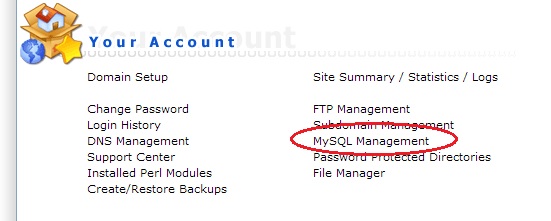
Go to the option "MySQL Management" in DirectAdmin.
Step 2
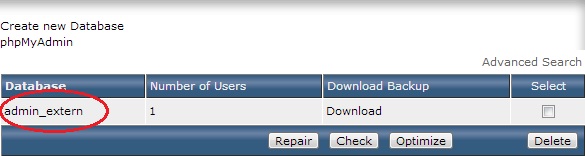
Select the database with which you wish to make a "remote" connection.
Step 3
Under the heading "Access Hosts" provide the IP address from where you allow access. A "%" symbol is the wildcard, meaning that any IP address can connect to the database.
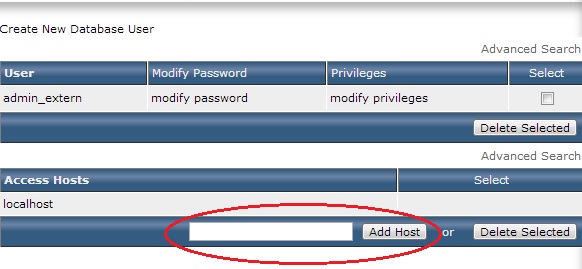
Once you have added the IP address here in DirectAdmin, you can make an external connection to the MySQL database. Making a connection to the external database is done via port "3306".
Was this helpful?
Thanks for your feedback!